It points at the actual UI
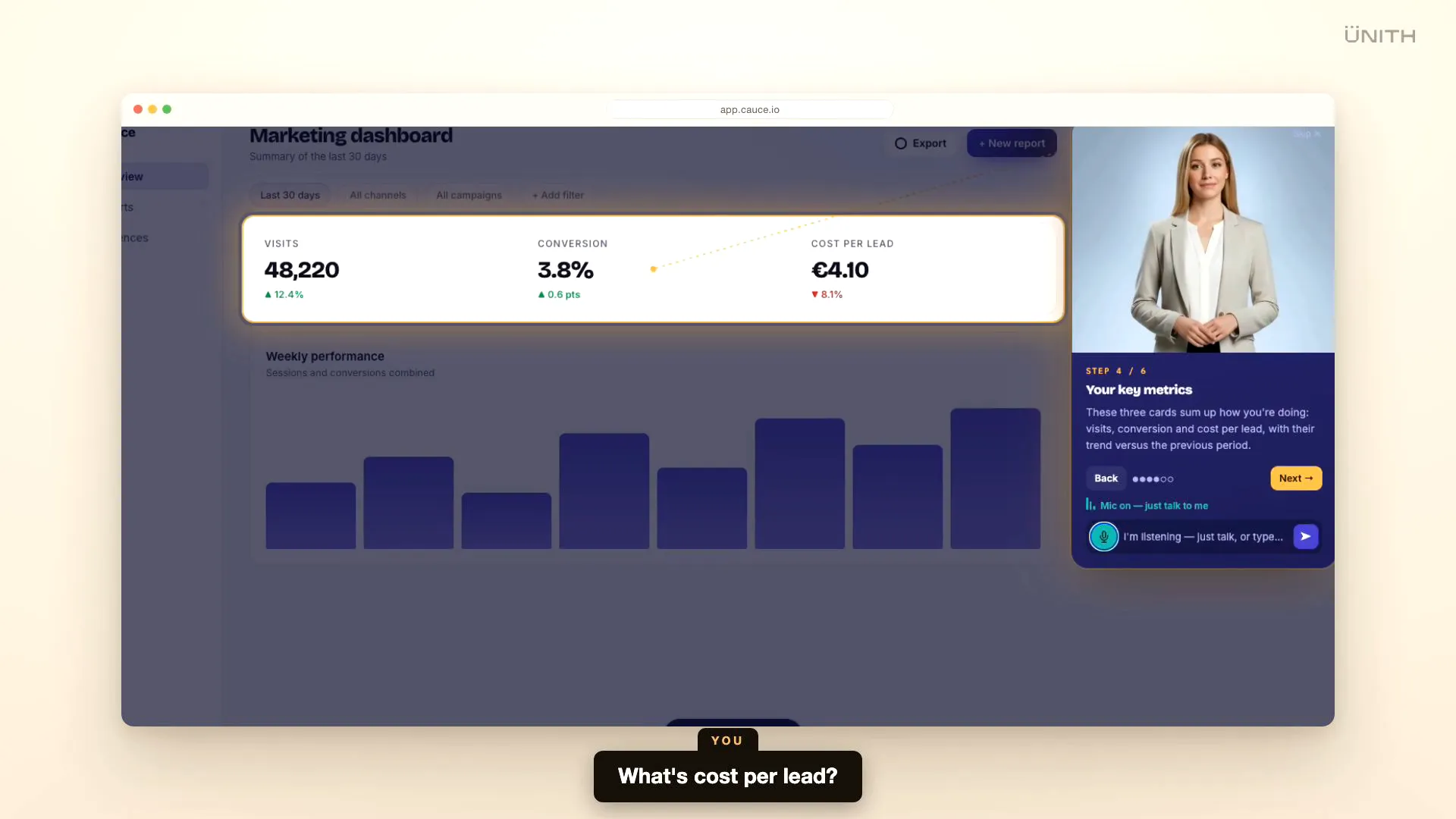
Guía doesn't sit in a corner reading a script. It moves across the page and spotlights the exact button, field or chart it's talking about — so users look where the value is, not at a wall of text.

New users churn when they can't find their way. UNITH builds Guía: a real-time digital human that lives on top of your SaaS, moves to the button that matters, explains it out loud and answers questions as they come up — installed with a single script tag, no product rewrite.
Guía is a digital human that lives on top of your SaaS. It moves across the screen, points at the element that matters and explains it in real time — while the user can stop and ask anything. Watch it guide a live dashboard.
Most SaaS onboarding is a stack of tooltips and a 'Next' button people click through without reading. The real questions come later, once the tour is gone: where is this setting, why does this number matter, how do I actually get my first result. So new users stall, activation drops, and the same 'how do I…' questions land in support again and again.
Guía replaces the silent walkthrough with someone who shows you. A digital human appears on the page, moves to the exact control it is describing and explains it the way a colleague sitting next to you would — and when a question comes up, the user just asks, gets an answer, and the tour picks back up where it left off.
Guía doesn't sit in a corner reading a script. It moves across the page and spotlights the exact button, field or chart it's talking about — so users look where the value is, not at a wall of text.
Users speak or type a question at any step. Guía interrupts itself, answers in real time, then picks the tour back up where it left off. No dead ends, no 'contact support to learn more'.
Guía drops onto the product you already have with a single script tag and one config file. Your engineers don't rebuild onboarding — we mark the elements that matter and the layer sits on top.
The whole layer runs inside an isolated Shadow DOM, so your styles and Guía's never collide — and a resilient element resolver keeps it pointing at the right control even as your interface changes.
When the tour ends, the same digital human settles into the corner as a persistent assistant — mic and chat still live — so users keep a way to ask 'how do I…' long after day one.
Appearance, voice and personality are designed with your team, and the same guide speaks 40+ languages — one onboarding experience across every market you sell in.
The same script that puts Guía on your SaaS can put it right here. Try the interactive demo, or book a walkthrough on your own product.
Built to embed — one script tag drops Guía onto any page, including this one.
Platform capabilities — deployment KPIs are defined per engagement.
You don't rebuild your onboarding. We map your product, script the guide and drop the layer on top. Here's what that looks like.
We walk your product with your team and pick the handful of screens and actions where new users get stuck — the steps that stand between sign-up and first value.
We design the digital human — appearance, voice, personality — and write what it says at each step, then wire it to point at the exact elements using resilient anchors that survive UI changes.
One script tag goes onto your app, we QA against your real interface across languages, and Guía goes live — with a dashboard of what users ask and where they hesitate so we keep improving it.
Tooltip tours show text next to an element and wait for a click. Guía is a digital human that moves to the element, explains it out loud, and — the real difference — lets the user ask a question at any point and answers it before resuming. It is the difference between reading a label and having someone show you.
Very little. Guía installs with a single script tag and one config file, and the layer runs on top of your existing product without a rewrite. UNITH marks the elements that matter and manages the configuration — your team does not build or maintain the onboarding engine.
Guía identifies each target with several fallback hints rather than one brittle selector, and skips a step gracefully if an element genuinely is not there. For elements you change often, a single data attribute makes the anchor change-proof. The layer is isolated in its own Shadow DOM, so it never interferes with your styles or scripts.
Both. Guía narrates the tour, and at any step the user can speak or type a question and get a real-time answer, then continue. When the tour ends, the guide stays available as a docked assistant so users can keep asking as they use the product.
Yes. The guide's appearance, voice and tone are designed with your team, and the same guide speaks 40+ languages — so onboarding feels native in every market without building a separate tour per locale.
Your product, your brand, your users' language — a digital-human onboarding layer designed, built and deployed by the team behind the technology, and installed with a single script tag.